
Last updated: January 2026
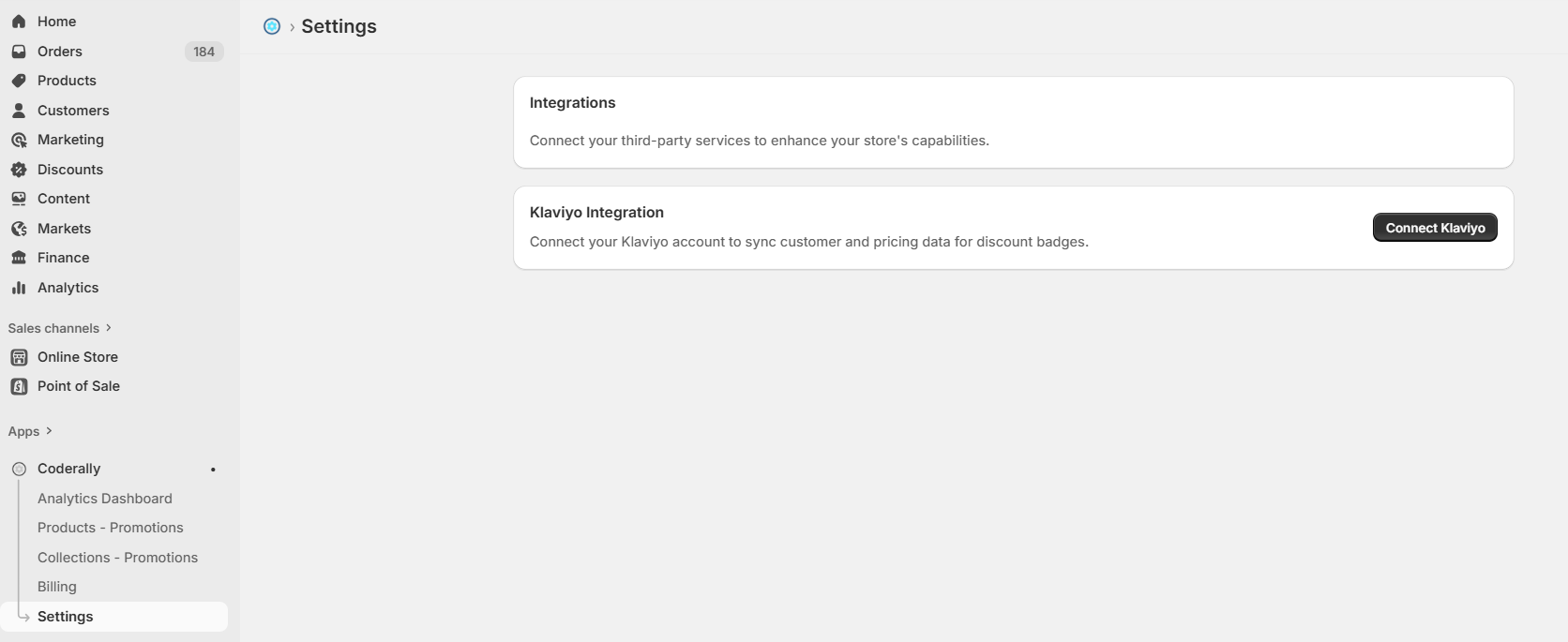
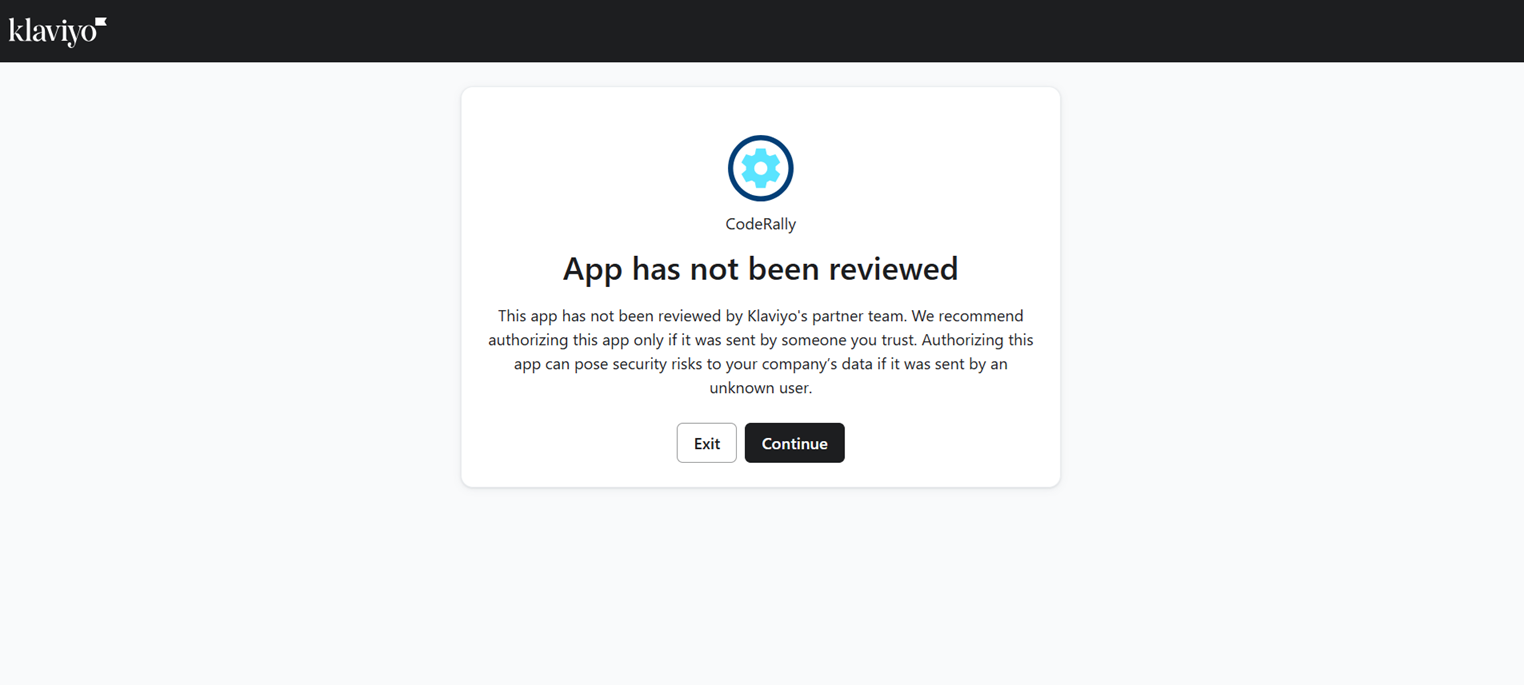
Klaviyo may display a notice stating that the CodeRally app has not yet been reviewed by Klaviyo's partner team.
⚠️ Important Note
CodeRally is safe to authorize. The "not reviewed" message simply means the app is still in Klaviyo's review queue. CodeRally only requests the minimum permissions required to sync customer profiles and events, and it does not access sensitive data such as billing information or credentials.
Review the requested permissions carefully. These typically include:
Once reviewed, click Continue.
accounts:read - Read account informationcampaigns:read - Read campaign dataprofiles:read - Read customer profile dataevents:write - Send discount eligibility events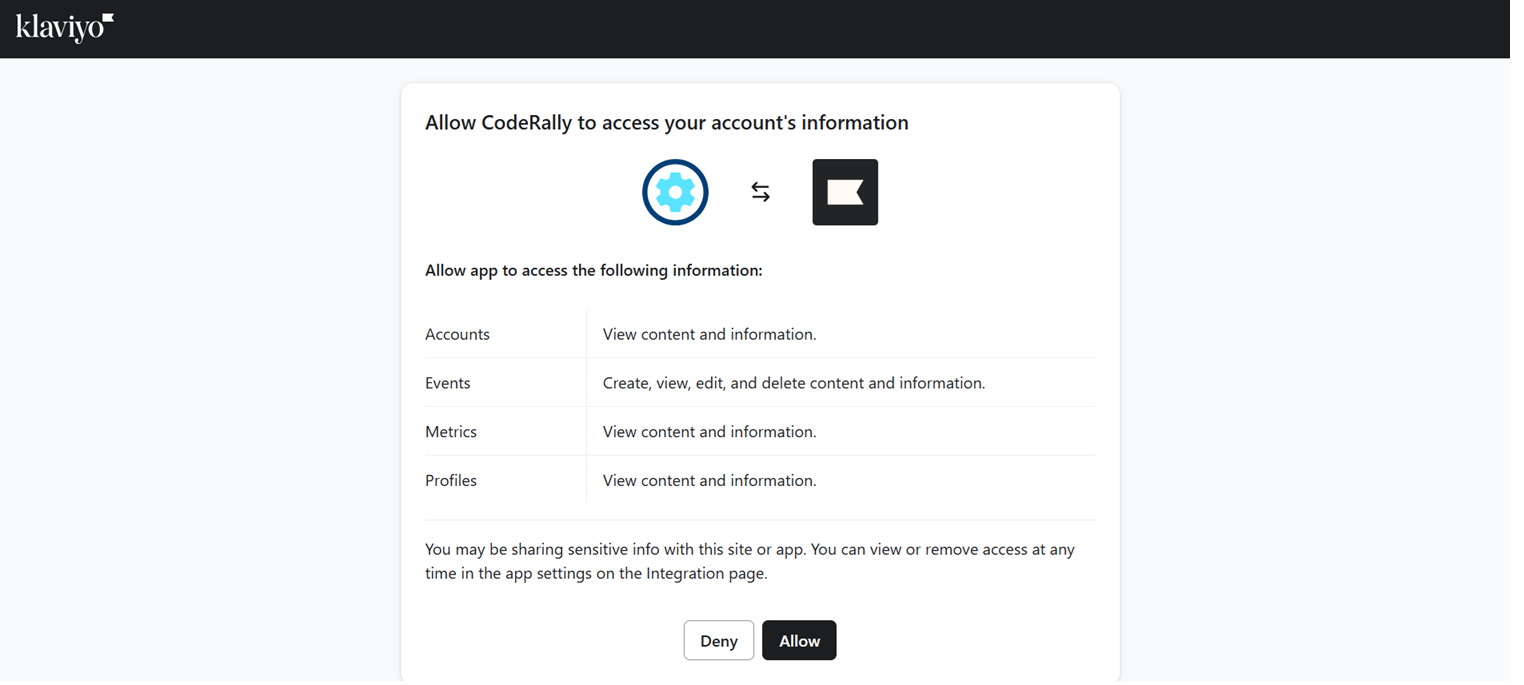
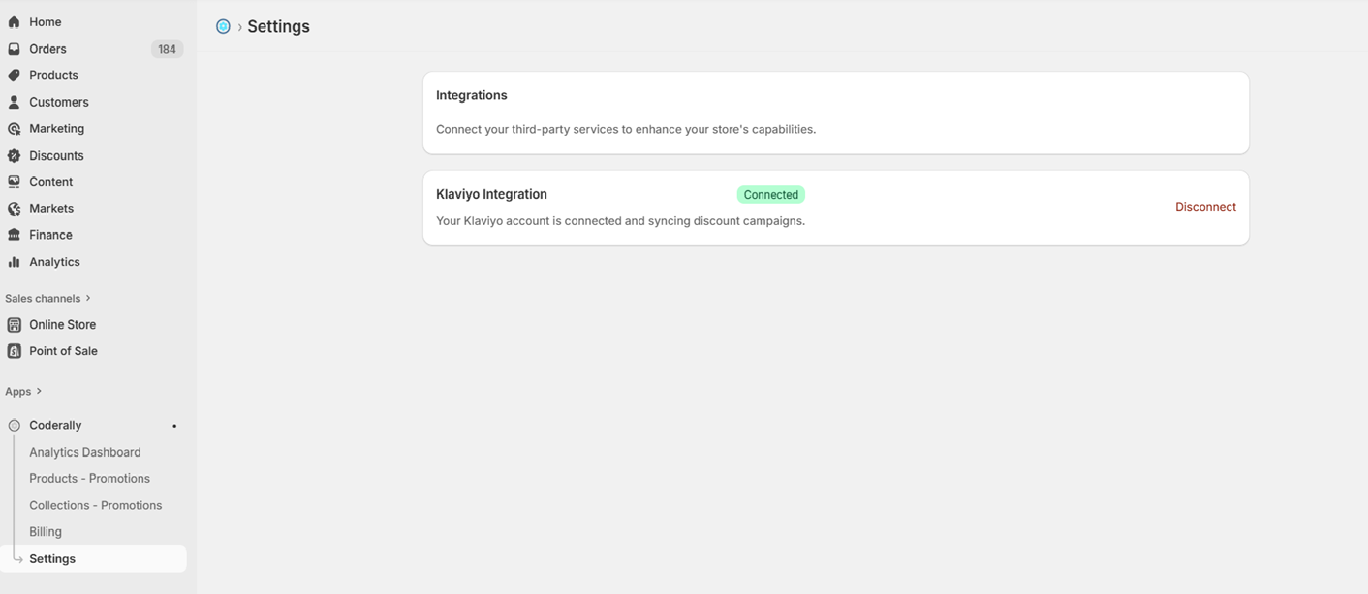
Eligible for Discount[Trigger]
When someone "Eligible for Discount"
↓
[Email #1]
Email #1 Subject
Status: Live
Delay: Day 0 (send immediately)
↓
[End]Visual Reference (as shown in your screenshot):
Copy and paste this template into your Klaviyo email editor (use the HTML mode):
<!DOCTYPE html PUBLIC "-//W3C//DTD XHTML 1.0 Transitional//EN" "http://www.w3.org/TR/xhtml1/DTD/xhtml1-transitional.dtd">

<html xmlns="http://www.w3.org/1999/xhtml">
<head>
<meta content="width=device-width, initial-scale=1.0" name="viewport"/>
<title>
  Your Special Discount
</title>
</head>
<body style="margin:0; padding:0; background-color:#f4f4f4;">
<table border="0" cellpadding="0" cellspacing="0" style="border-collapse:collapse;" width="100%">
  <tr>
    <td align="center" style="padding:20px 0;">          <!-- 600px main container -->
      <table border="0" cellpadding="0" cellspacing="0" style="border-collapse:collapse; background-color:#ffffff;" width="600">            <!-- Header -->
        <tr>
          <td align="center" bgcolor="#ffffff" style="padding:40px 20px 30px 20px;">
            <h1 style="margin:0; font-family:Arial, sans-serif; font-size:24px; line-height:30px; color:#333333; font-weight:bold;">
              Your special offer is here!
            </h1>
          </td>
        </tr>
<!-- Body -->
        <tr>
          <td bgcolor="#ffffff" style="padding:0 30px 40px 30px; font-family:Arial, sans-serif; font-size:15px; line-height:22px; color:#555555;">
            <p style="margin:0 0 15px 0;">
              Hi there,
            </p>
            {% if event.discount_value_type == "discount_code" %}
            <p style="margin:0 0 15px 0;">
              Thank you for being a valued customer!
                We’ve created a special discount just for you.
                Use the code below at checkout to receive
              <strong>{{ event.discount_amount }}% off</strong> your purchase.
            </p>
            {% else %}
            <p style="margin:0 0 15px 0;">
              Thank you for being a valued customer!
                We’ve created a special discount just for you.
                Enjoy
              <strong>{{ event.discount_amount }}% off</strong> —
                the discount will be
              <strong>automatically applied once you add eligible products to your cart</strong>.
            </p>
            {% endif %}
            {% if event.discount_value_type == "discount_code" %}
<!-- Discount Code Block -->
            <table align="center" border="0" cellpadding="0" cellspacing="0" style="margin:20px auto; border-collapse:collapse; text-align:center;">
              <tr>
                <td align="center" bgcolor="#eeeeee" style="padding:15px 25px; border-radius:5px; font-family:Arial, sans-serif; font-size:18px; line-height:22px; color:#333333; font-weight:bold;">
                  {{ event.discount_code }}
                </td>
              </tr>
            </table>
            {% endif %}
            <p style="margin:20px 0 10px 0;">
              This discount is only applicable to the following product(s):
            </p>
<!-- Products Table -->
            <table border="0" cellpadding="10" cellspacing="0" style="border-collapse:collapse; margin-top:5px;" width="100%">
              <tr style="background-color:#f4f4f4;">
                <td style="font-family:Arial, sans-serif; font-size:14px; font-weight:bold; border-bottom:1px solid #dddddd;">
                  Product
                </td>
                <td style="font-family:Arial, sans-serif; font-size:14px; font-weight:bold; border-bottom:1px solid #dddddd;">
                  Price
                </td>
                <td style="font-family:Arial, sans-serif; font-size:14px; font-weight:bold; border-bottom:1px solid #dddddd;">
                  Quantity
                </td>
              </tr>
              {% for product in event.products %}
              <tr>
                <td style="font-family:Arial, sans-serif; font-size:14px; border-bottom:1px solid #eeeeee; padding:8px 10px;">
                  {{ product.title }}
                </td>
                <td style="font-family:Arial, sans-serif; font-size:14px; border-bottom:1px solid #eeeeee; padding:8px 10px;">
                  {{ product.price }} {{ event.currency }}
                </td>
                <td style="font-family:Arial, sans-serif; font-size:14px; border-bottom:1px solid #eeeeee; padding:8px 10px;">
                  {{ product.quantity }}
                </td>
              </tr>
              {% endfor %}
            </table>
            <p style="margin:20px 0 5px 0;">
              Minimum cart value to apply this discount:
              <strong>{{ event.cart_value }} {{ event.currency }}</strong>
            </p>
          </td>
        </tr>
<!-- Footer -->
        <tr>
          <td align="center" bgcolor="#333333" style="padding:30px 30px 30px 30px;">
            <p style="margin:0; font-family:Arial, sans-serif; font-size:14px; line-height:20px; color:#ffffff;">                  <a href="{{ organization.url|default:'#' }}" style="color:#ffffff; text-decoration:underline;">
                Visit our store
              </a>
            </p>
          </td>
        </tr>
      </table>
    </td>
  </tr>
</table>
</body>
</html>| Variable | Description | Example |
|---|---|---|
event.discount_code |
The discount code | "SUMMER20" |
event.discount_amount |
Discount percentage | "20" |
event.discount_value_type |
Type of discount | "discount_code" or "automatic" |
event.eligibility_type |
Match type | "product", "collection", "store_wide" |
event.products |
Array of products | [{title, price, quantity}] |
event.collections |
Array of collections | [{title, collection_id}] (only for collection discounts) |
event.cart_value |
Abandoned cart total | "45.99" |
event.currency |
Store currency | "USD" |
{{ organization.url|default:'#' }} with your actual store URL#333333, #eeeeee with your brand colorsCodeRally monitors cart and checkout abandonment in Klaviyo. When a customer abandons their cart for 30+ minutes, CodeRally matches products in the cart against your active Shopify discount codes (product-specific, collection-wide, or store-wide). If a match is found, CodeRally sends an "Eligible for Discount" event to Klaviyo with the discount code, product details, and cart information. This triggers your Klaviyo flow, which automatically emails the customer with their personalized discount. Customers only receive each discount once per product to prevent spam.
Want shoppers to see discounts before they abandon? Pair Klaviyo recovery with the Discount Badge on your product and collection pages.
CodeRally syncs the following data from Klaviyo:
When a discount match is found:
Important:
✅ CodeRally does NOT store customer email addresses
If you disconnect Klaviyo:
For technical assistance:
Last Updated: January 2026
Version: 1.0
Discover strategies and tools to increase sales, speed, and customer engagement.